Build your first resume or tailor the one you have to each job
With clear examples and a result you can review and download as a PDF. Keyverta compares your resume with the job, points out the requirements and keywords that don’t come through, and suggests how to rewrite them; you decide what to change.
Free, with an account. Keyverta’s score is AI-generated guidance: it isn’t any employer’s rating and it doesn’t guarantee an interview.
Where to start
Pick what fits your situation: build your first resume, review the one you have, or learn how to tailor it to a job.
- Online resume builderHow the editor works, what you get and a sample result before you sign up.
- Check your resume against a jobWhat the analysis reviews, a sample report and its limits.
- Resume templatesOur own models with fictional cases to see the structure and personalize them in the editor.
- How to write a resume with no experienceWhat to include when you’re looking for your first job: education, projects, internships and volunteering.
- How to tailor your resume to each jobA step-by-step method to match your resume to what a specific job asks for, without making anything up.
- All guidesCover letters, keywords, formatting and how ATS work.
How it works
- 1
Start with your resume
Upload it as a PDF or Word file —we extract its text for the analysis— or build it from scratch with the guided editor if you don’t have one yet.
- 2
Paste the job description
The full description of the role you want to apply for, from any job board.
- 3
Get your analysis and materials
Guidance score, missing keywords, rewrites ready to review, a tailored resume PDF, and a cover letter.
- 4
Improve, re-analyze and prep the interview
See how the score changes with each version and prepare for the interview with a mock session on your weak spots.
Analyze jobs right from the job board
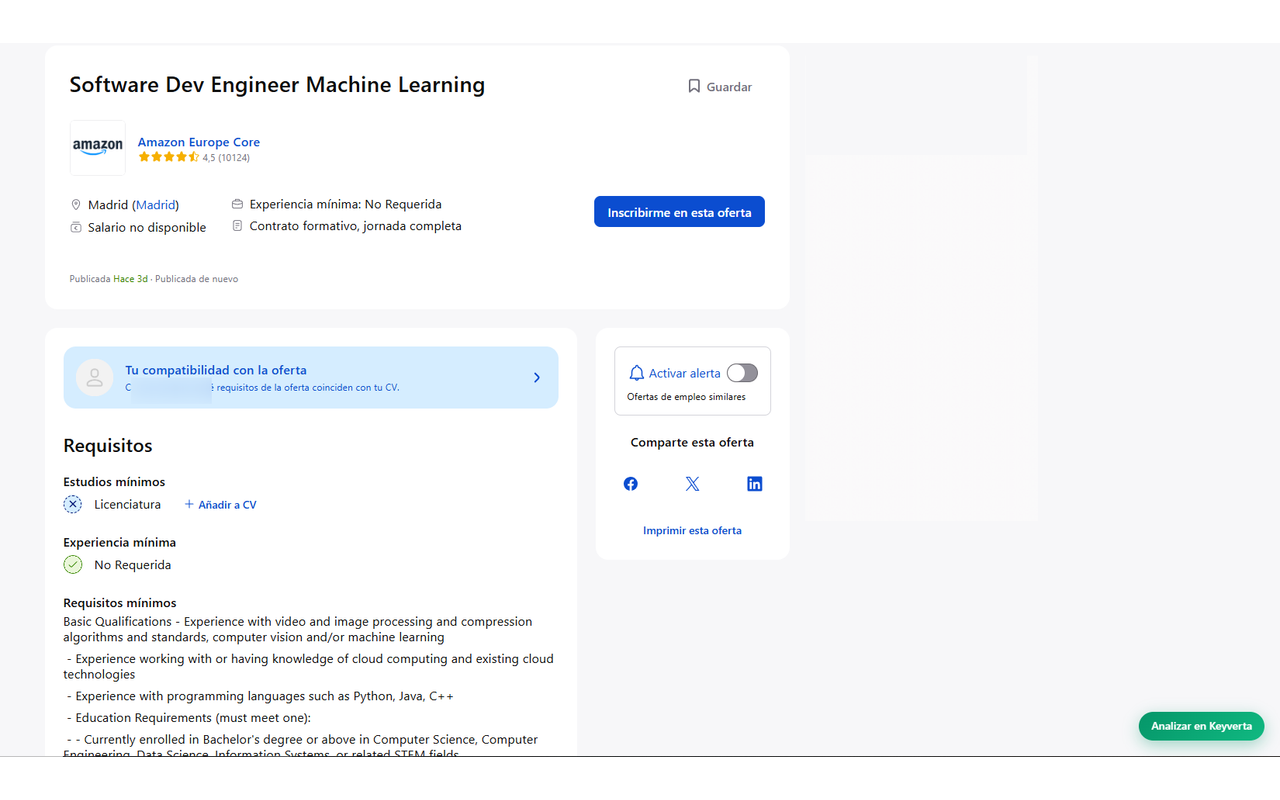
With the Chrome extension, an “Analyze in Keyverta” button appears on LinkedIn, InfoJobs, and Indeed postings. Click it and the analysis opens with the description and title already loaded — no copying, no pasting.
Frequently asked questions
- What is an ATS and how does it affect my resume?
- An ATS (Applicant Tracking System) is the software many companies use to receive and organize applications. Depending on how each company sets it up, it may rank or filter by requirements and keywords, or simply help a person review resumes. A resume with readable text and the job’s terms clearly explained makes that easier, but no format guarantees getting through a hiring process.
- What does Keyverta’s score mean?
- It’s our own AI-generated estimate of how well your resume matches the job you paste: it compares requirements, keywords and evidence from your experience. Use it to decide what to improve; it isn’t the score any employer uses and it doesn’t guarantee an interview. Review the suggestions before using them.
- What does Keyverta include?
- What you need to prepare an application: an editor to build your resume from scratch, the analysis of your resume against each job, a tailored resume downloadable as a PDF, the cover letter, and a mock interview to prepare.
- Is Keyverta free?
- Yes. You can create your account, build or analyze your resume, and generate your tailored resume and cover letter without paying. To keep the service free there is a daily analysis limit per account.
- What resume formats does it accept?
- PDF and Word (.docx), up to 5 MB. If your resume is a scanned PDF (an image), convert it to a text PDF first so the analysis works.
- Does it work with jobs and resumes in any language?
- Yes — English, Spanish, and other languages: the analysis responds in the language of the job description, and the tailored resume keeps the language of your original resume.
- Is there a browser extension?
- Yes. The free Keyverta Chrome extension adds an “Analyze in Keyverta” button on LinkedIn, InfoJobs, and Indeed job postings: one click opens the analysis with the description and title already filled in — no copying and pasting. You need to sign in to see the analysis.
- What happens with my data?
- We only store the text of your resume and job descriptions to generate your analyses. We don’t sell data or use it for advertising, and you can delete your account and all its content at any time from your account page.
Want to know who runs Keyverta and how the analysis works? Methodology and contact